

Rajagurunathan
Author
Published on : Nov 28, 2025
Category : BizTalk360 Update
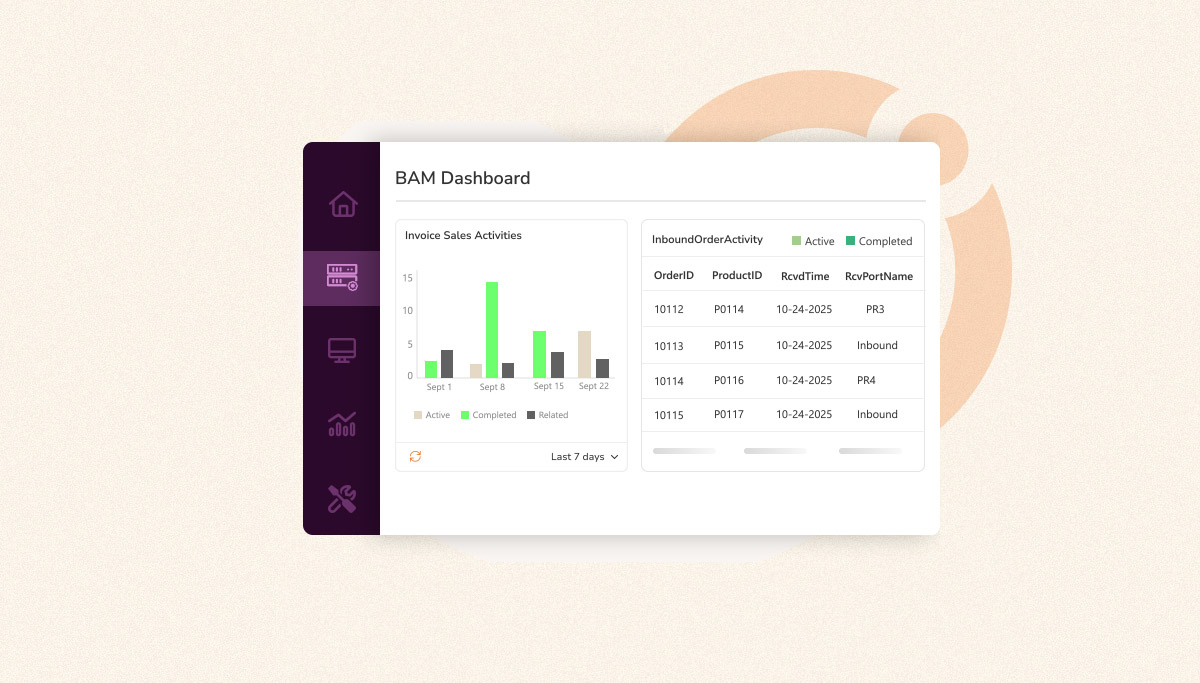
Business Activity Monitoring (BAM) in BizTalk Server is often described as a framework for capturing and viewing the progress of business transactions. It records activity data in real time and offers a structured way to search and review what’s happening inside your business processes as they run. Rather than providing deep analytics or business insights on its own, BAM focuses on collecting business data from your transactions and making them easily searchable through the BAM Portal.
The BAM Framework also supports exposing this collected data for SQL queries and OLAP aggregations, allowing organizations to build their own reports if needed. Its strength lies in providing a reliable, transaction-consistent view of what is happening across different systems, regardless of how the underlying processes are automated.
Despite BAM’s Robust engine, BAM Portal offers only Activity Search, allowing users to look up transactions and review the values captured throughout their lifecycle. However, this is where its capabilities largely stop. With no consolidated views, KPIs, or visual trends, BAM simply stores raw data and makes it searchable.
In practice, this leaves the native portal feeling restrictive its outdated interface makes exploration cumbersome, and without any visualization or summary layer, users are forced to manually sift through records. For business stakeholders especially, this results in an experience that is far from intuitive or efficient, even though the underlying tracking remains valuable for understanding how transactions move through the BizTalk environment.
Some of its key limitations include:
While BizTalk BAM itself offers only Activity Search, BizTalk360 elevates this data into meaningful business intelligence. Its BAM Dashboard allows users to build dynamic widgets that track transaction statuses, related activities, KPIs, timestamps, business metrics, and more.
These widgets can be visualized through charts for trend analysis or detailed tables for in-depth transaction breakdowns. Users can refine results using time ranges or BAM View-specific business filters, and even group transaction counts by hourly, daily, weekly, or monthly intervals. This makes it easy to identify business insights, bottlenecks, or performance deviations across business processes.
BizTalk360 also surfaces related activity statuses and linked business data, giving teams a unified, end-to-end understanding of how multi-step processes flow across departments.
Native BAM Portal vs BizTalk360 BAM Dashboards,
| Features | Native BAM Portal | BizTalk360 BAM Dashboard |
|---|---|---|
| Dashboards & Business Insights | No dashboards; data shown as raw business Transaction | Interactive dashboards showing trends, KPIs, and business outcomes |
| User Interface (UI) | Outdated and slow for data interpretation | Modern, intuitive, and User friendly |
| Transaction Monitoring | No quick access to transaction status or business values | Quick, at-a-glance transaction status and business value insights |
| Data Querying | Only Activity Search for tracked data | Comprehensive, fast querying with multiple business data filters |
| Date Time & Business Data filtering | No filtering options | Advanced granular date/time & business data filtering |
| Target Users | Designed mainly for technical users | Designed for both technical and business users |
| Reporting | None | Automated, exportable reports with visual summaries |
| User Access Control | No granular control; no audit trail | Full audit logging with granular User access control |
| Governance & Compliance | No governance features | Full governance with detailed audit trails |
| Maintainability | Deprecated; officially discontinued since BizTalk Server 2020 | Actively supported and enhanced |
Together, these capabilities turn BizTalk BAM from a simple tracking engine into a comprehensive business intelligence layer for BizTalk environments.
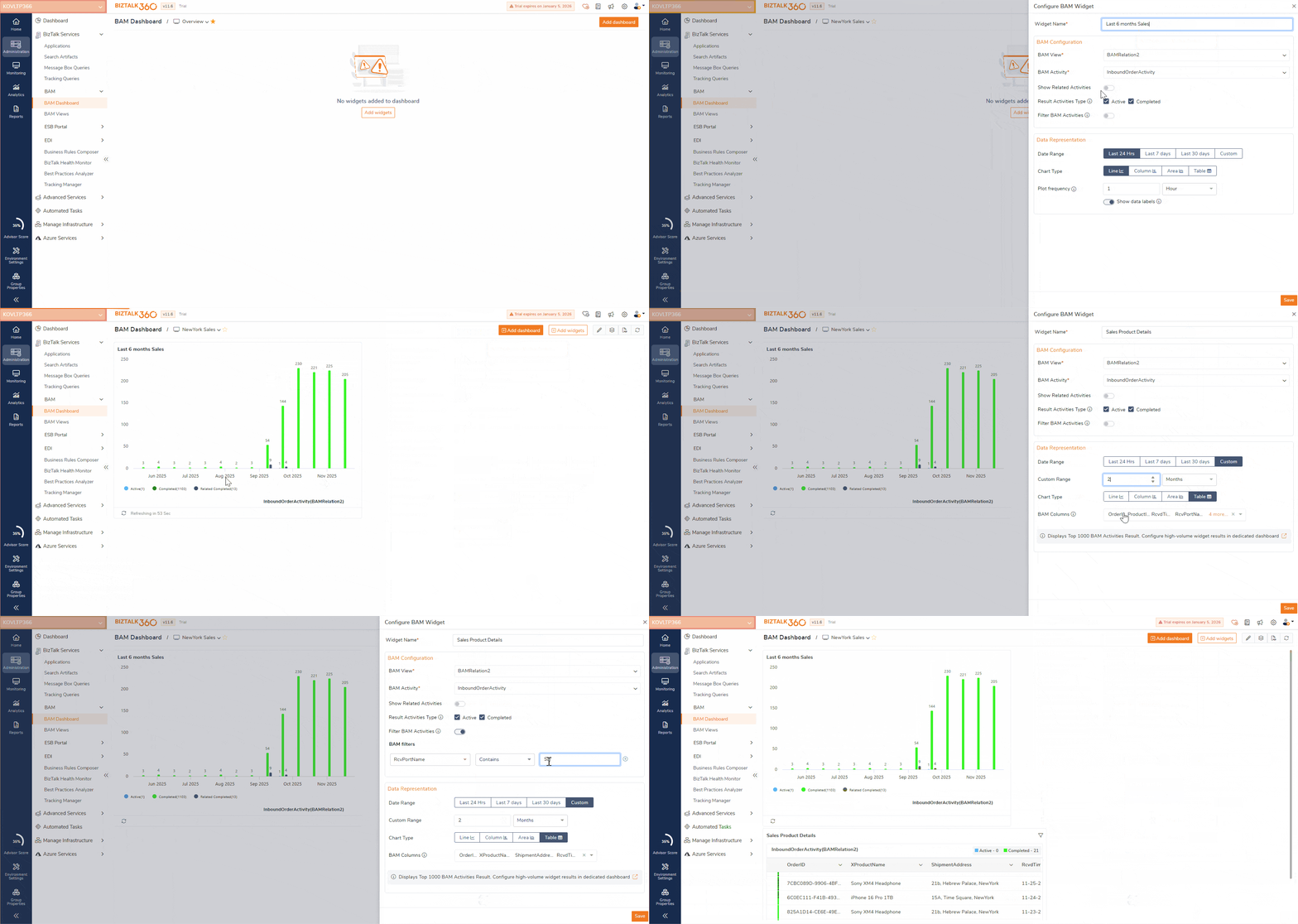
The BAM Dashboard allows users to convert raw transaction data into meaningful insights through configurable widgets. Users can select the BAM View, choose the Activity, include related activities, and apply filters such as Business Data values, Activity Statuses, and Time Ranges to refine results.
Visualization options include:
This flexibility ensures that users can design widgets that suit both operational monitoring and business decision-making.
Managing dashboard content is simple and intuitive. Users can edit widgets, switch visualization types, or remove outdated components with ease. Entire dashboards can be created, updated, deleted, or marked as global for organization-wide access.
With built-in export functionality, dashboards can be downloaded as PDFs to share with stakeholders who prefer offline insights.

Security is tightly integrated into BizTalk360’s BAM Dashboard. Super Users can assign precise access levels, determining who can view, modify, or export data.
On top of this, the Governance & Audit feature records every action—widget edits, dashboard updates, additions, removals, and configuration changes. This ensures full traceability and gives organizations confidence that their business data remains secure and governed.
Imagine an eCommerce application tracking Sales, Invoice, and Shipping processes through BizTalk BAM Views. With BizTalk360, each process can be visualized through its own set of widgets, enabling teams to quickly understand Business Insights, performance and identify potential issues.
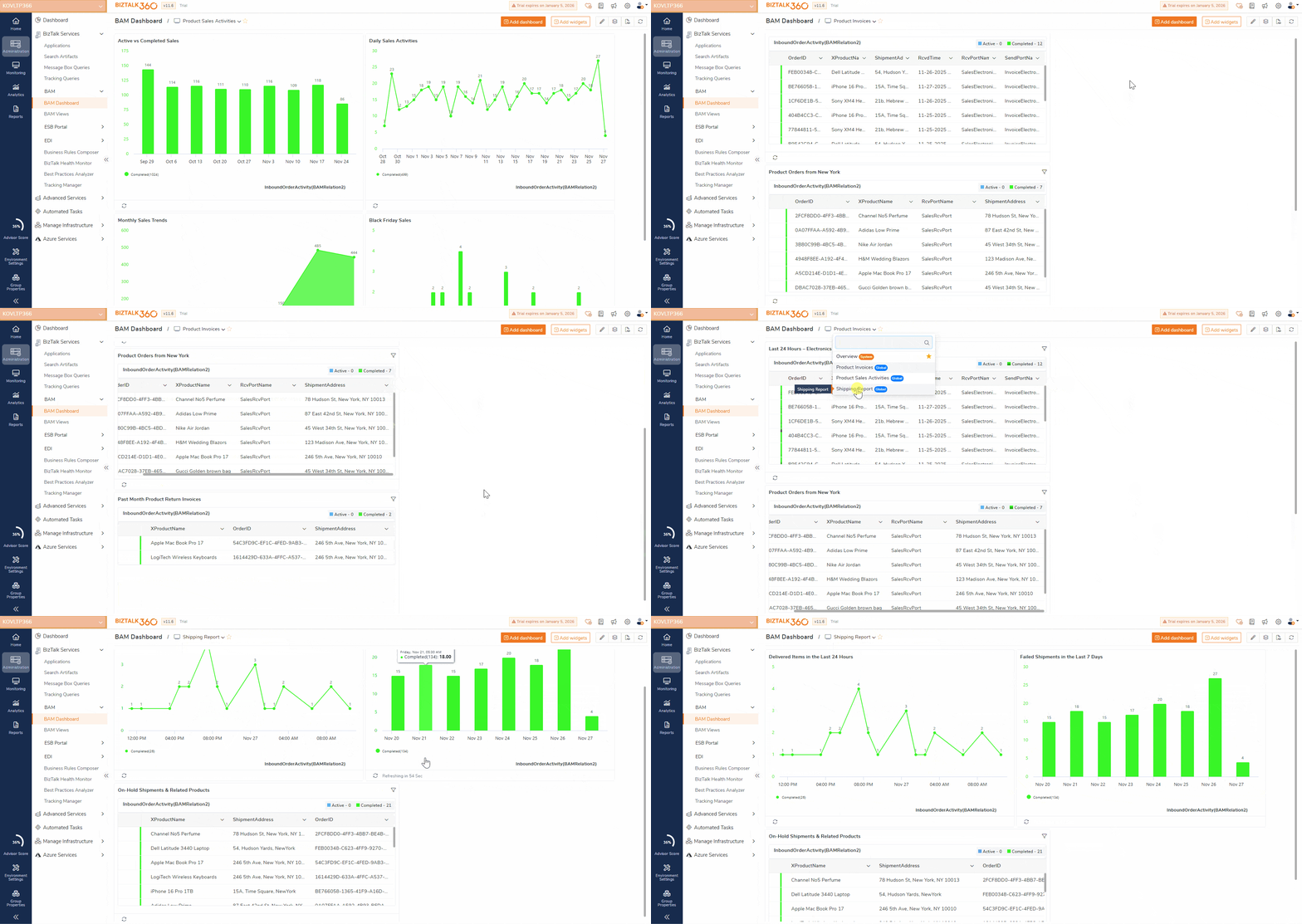
Using Sales Order BAM Views, users can build widgets that highlight key sales activity—whether that’s tracking Active versus Completed Sales or monitoring how transactions move across various products and departments. Each widget can be fine-tuned with filters such as Receive Date Time, Product Name, or Sender Address, depending on the data defined in the BAM View.
Teams can also narrow their focus by applying time-based filters like the Last 24 Hours, Last 7 Days, Last 30 Days, or custom date ranges, making it easier to analyse sales performance during specific periods. To reveal deeper trends, transactions can be grouped Hourly, Daily, or Monthly, offering a clearer picture of patterns and operational flow.
Some practical examples of Sales-focused widgets include:
Widgets built on Invoice Processing BAM Views give users a clear way to track invoice details across products and departments, all linked back to their corresponding sales orders. With flexible filtering options, teams can drill into product-specific information, sender and receiver details, or any metadata defined in the BAM View configuration. Time-based filters further refine the results, ensuring that only the most relevant invoice records are displayed for analysis.
Some practical examples of Invoice-focused widgets include:
Users can also build dedicated widgets to monitor shipment statuses across various locations, giving them real-time visibility into how orders are moving through the fulfilment pipeline. These widgets can be enriched with related Sales and Product details, providing a connected, end-to-end view of each order from purchase to delivery.
Examples of effective Shipping widgets include:
The same approach to widget creation can be applied to any BizTalk BAM View, enabling teams to gain rich, detailed BAM insights that drive better business value and support key performance indicators (KPIs).
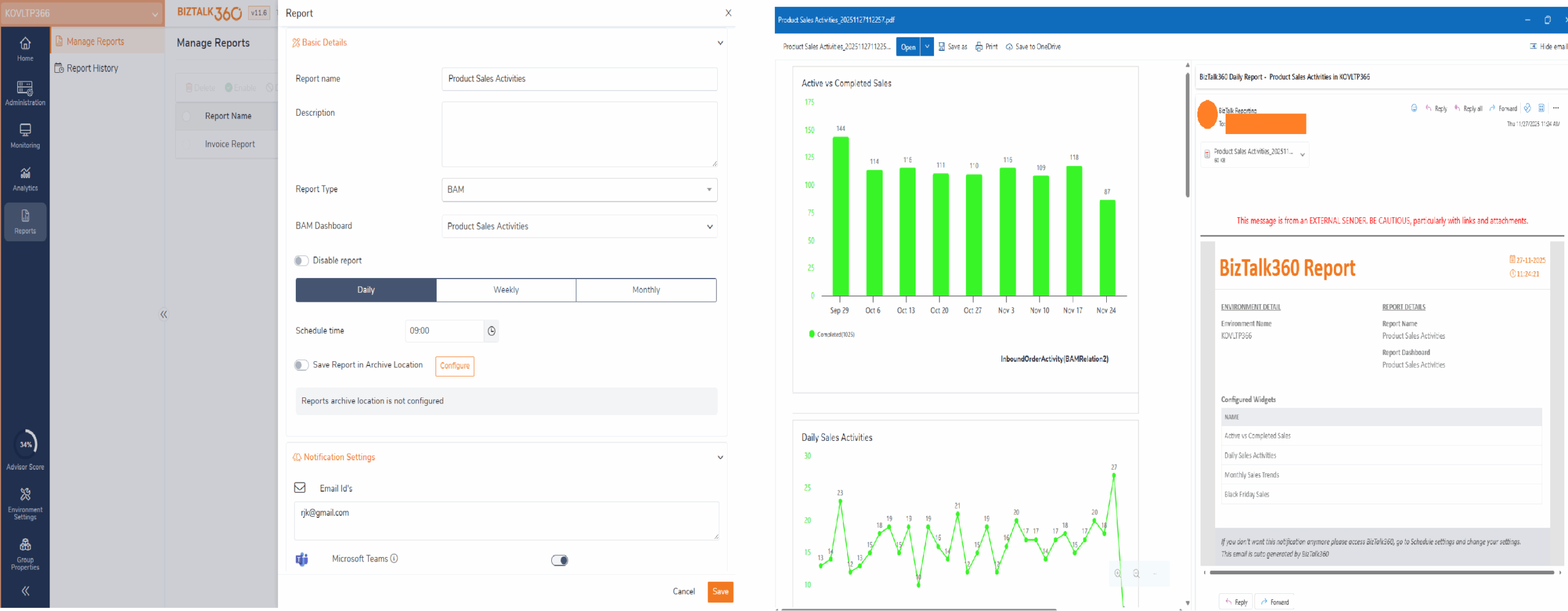
Once the BAM Dashboards are configured with the required business transaction widgets, users can take the next step by setting up a Reporting Schedule and linking it directly to the dashboard. This allows them to receive periodic reports that summarize the business values and statuses of BAM transactions across multiple business processes. These scheduled insights provide a convenient, automated way to stay informed about key performance indicators, emerging trends, ongoing transaction statuses, and accurate business metrics without needing to log in to the portal every day.
BizTalk BAM provides the raw tracking foundation but BizTalk360 brings that data to life. With modern dashboards, rich visualization, powerful filtering, and business-friendly reporting, BizTalk360 elevates BAM into a strategic decision-making tool.
If your team depends on BizTalk BAM data for operational or business decisions, BizTalk360 offers the visibility, control, and confidence you need to stay ahead.
To know more about the BizTalk360 features, try out the free trial or book a demo.