
Electronic Data Interchange (EDI) in BizTalk Server enables the secure exchange of standardized business documents such as X12 and EDIFACT between trading partners, managing validation, batching, acknowledgments, and partner agreements to ensure reliable B2B communication. As EDI processing generates large volumes of interchanges, transactions, and acknowledgments, effective tracking becomes critical for stable business operations.
BizTalk360 provides a centralized platform with real-time visibility into EDI messages, interchanges, and transactions. Features like EDI Queries, help users to easily view interchange and acknowledgment statuses and drill down into transaction sets and batch reports from a single interface. With intuitive dashboards and role-based access, BizTalk360 helps business users to quickly identify issues and manage EDI operations efficiently.
The EDI Custom Widget in BizTalk360 allows users to monitor EDI transactions in a personalized dashboard. It provides options to filter data based on partners, agreements, and transaction types. Users can track transaction statuses, view errors, and monitor in real time. The widget supports multiple visualization formats, like grids and charts, for easy analysis.
A logistics and supply chain company exchanges EDI documents such as shipment details, delivery confirmations, and invoices with multiple trading partners. During peak business hours, several shipment acknowledgments start failing, which could lead to delivery delays and SLA breaches. To gain better visibility, the operations team can create an EDI Custom Widget in BizTalk360 and configure it using the Interchange/ACK Status query type, select the relevant partners, and set a short plot frequency for near real-time monitoring. The widget clearly highlights a spike in failed acknowledgments for a specific partner. By drilling down from the widget, the team can identify a batching issue caused by an agreement misconfiguration. They can quickly fix the configuration, reprocess the failed messages, and restore the EDI flow. This real-time visibility through custom widgets helps the team respond faster, reduce operational impact, and maintain smooth partner communication.
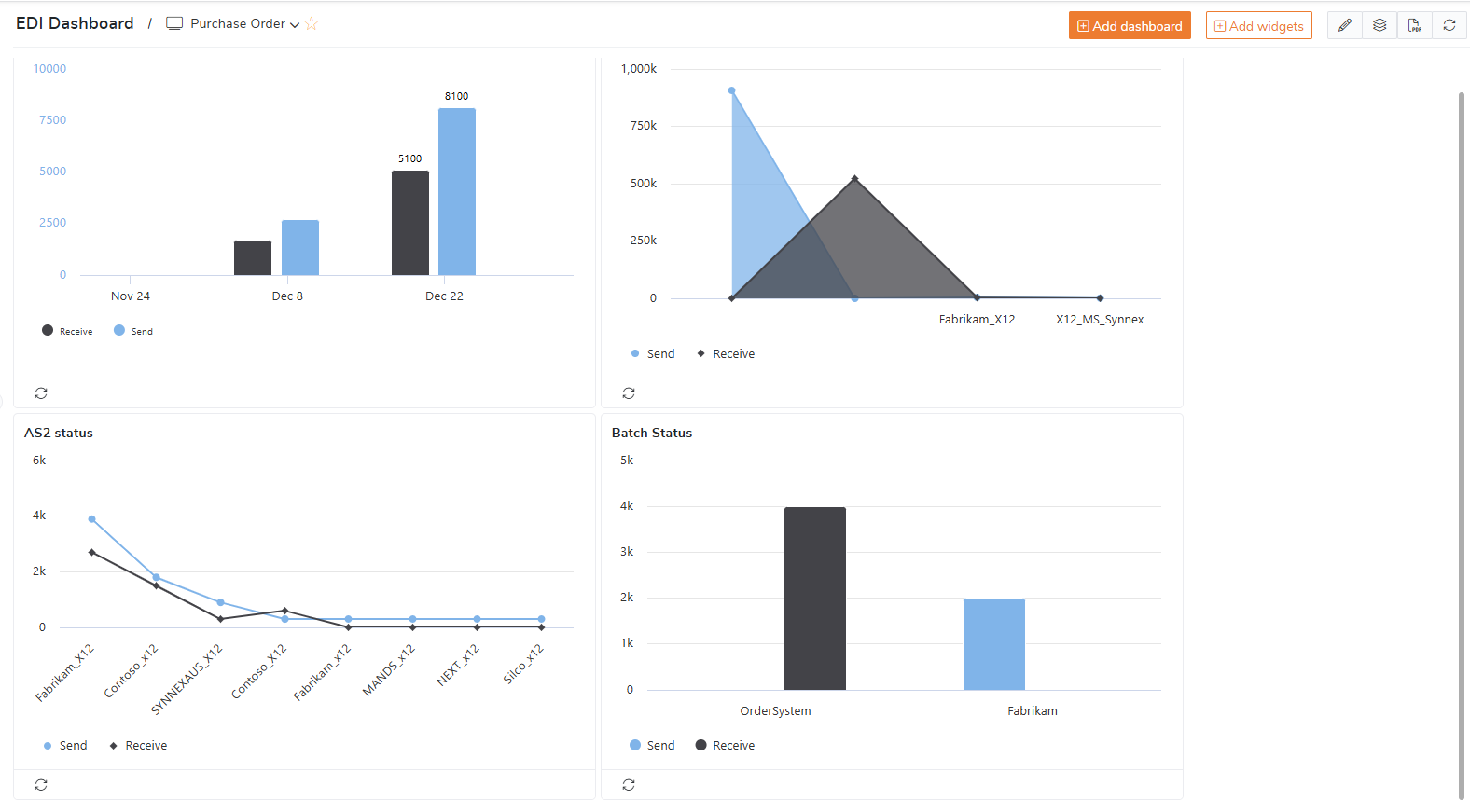
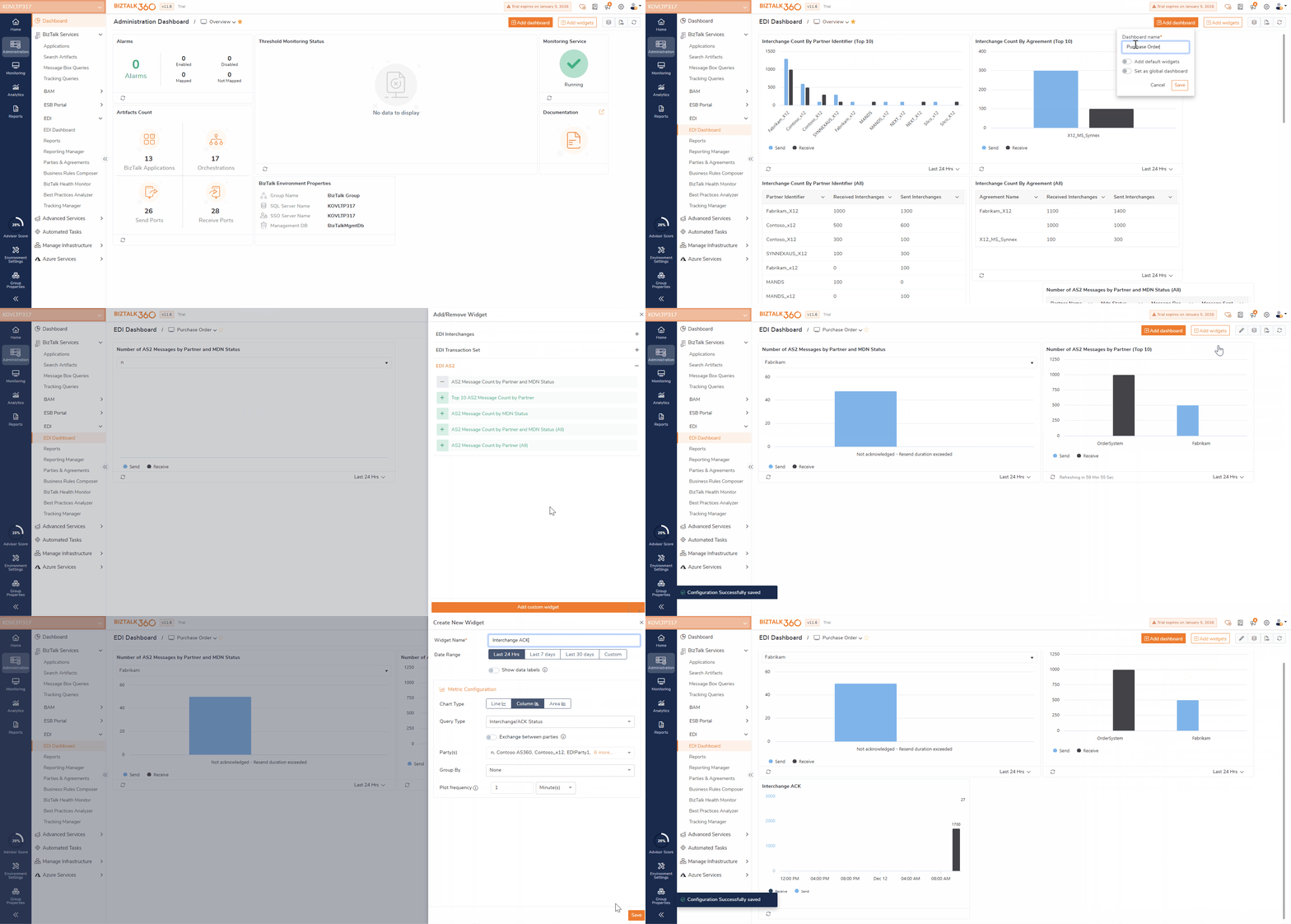
BizTalk360 dashboards help you monitor EDI transactions effectively in one place. You can add a new dashboard and manage it by updating, deleting, or customizing it as needed. Predefined EDI widgets provide instant insights into common metrics like transaction status, errors, and volumes. Custom EDI widgets allow you to filter data by partners, agreements, or document types for more focused monitoring. Together, these widgets display real-time trends in grids or charts, helping teams quickly spot issues.
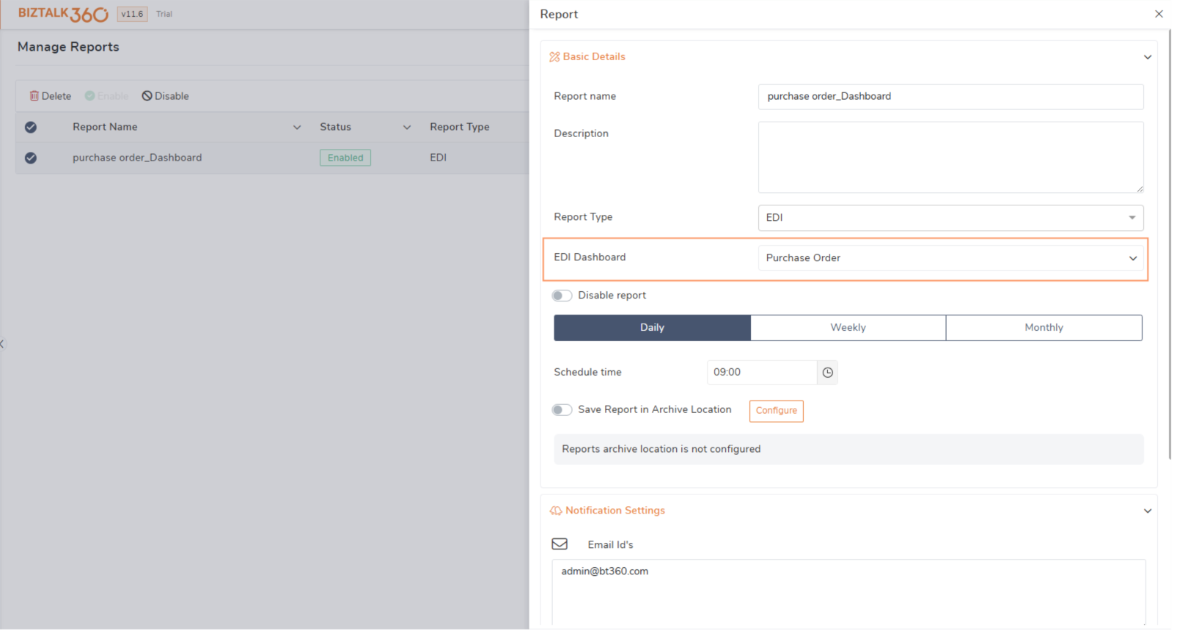
To receive updates at regular intervals, these dashboards can be mapped with reporting. Users can simply choose the EDI dashboard and include it in a report. During execution, the report retrieves all necessary EDI metrics and charts automatically, eliminating the need for manual action. The completed report is then emailed to the configured recipients for quick access. This helps teams stay updated without opening the dashboard manually.
For example, a retail team can schedule daily EDI reports to monitor purchase order and invoice transactions. These daily reports help the team quickly verify whether all expected documents were received, processed, and acknowledged successfully. If any transactions fail or get delayed, the team can identify the issue early in the day and take immediate action, such as reprocessing messages or coordinating with trading partners, before it impacts the orders. This proactive monitoring helps keep retail operations running smoothly.
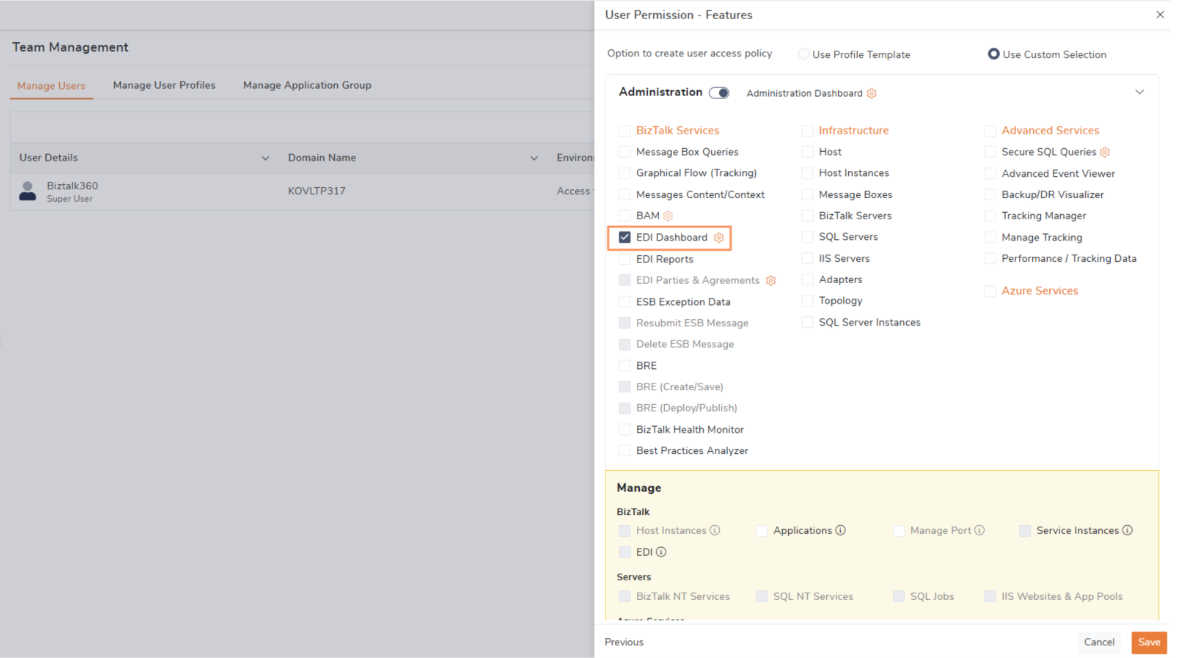
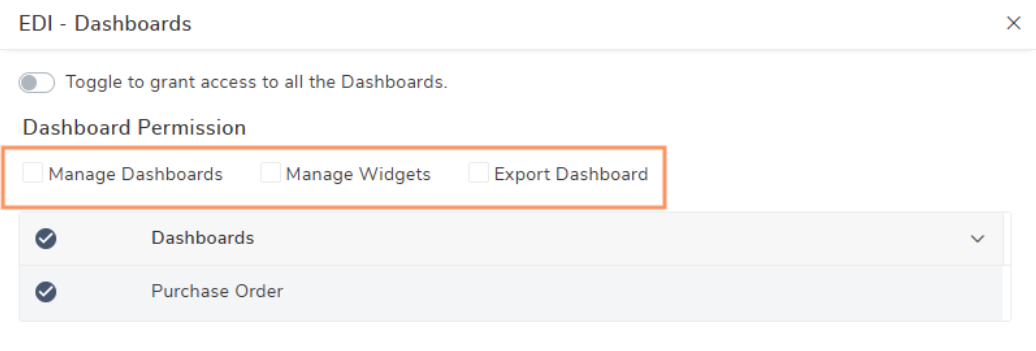
In BizTalk360, access to the EDI Dashboard is managed through the User Access Policy (UAP), which ensures only authorized users can view or modify it. Using UAP, admins can grant specific users permission to access the dashboard, customize widgets, or export EDI data when required. The admin user retains complete control, including the ability to add, remove, or update widgets and manage the entire dashboard configuration. This setup provides a secure environment while giving flexibility to team members based on their roles. It also ensures that sensitive EDI information is visible only to users who truly need it for their daily tasks.
For example, A compliance officer needs monthly EDI data for audit reviews, so the admin gives them permission to export the EDI Dashboard. The officer can download the required information but cannot edit widgets or change dashboard settings. The admin retains full control to manage and secure the dashboard. This ensures the compliance team gets the data they need while keeping the dashboard protected.
EDI Dashboard can be exported and imported to another environment or server, making it easy to replicate dashboard setups across multiple instances. Users can export the dashboard configuration, including widgets and filters, and then import it into another BizTalk360 environment without recreating it from scratch. This feature saves time and ensures consistency across development, testing, and production servers.
The EDI Dashboard in BizTalk360 makes monitoring and managing EDI transactions simple and efficient. Predefined and custom widgets provide real-time insights, while scheduled reports keep the team updated automatically. UAP-based access ensures security, and export/import features maintain consistency across environments. Overall, BizTalk360 helps organizations stay on top of EDI operations and resolve issues quickly from a single dashboard.
To know more about the BizTalk360 features, try out the free trial or book a demo.
