


Saranya
Author
Published on : Feb 11, 2026
Category : BizTalk360 Update
BizTalk environments are complex, dynamic, and business-critical. With BizTalk360 v11.7, we’ve focused on one clear goal, help integration teams monitor smarter, reduce operational noise, and manage access and automation with confidence.
Let’s take a closer look at what’s new in BizTalk360 v11.7 and how it benefits your day-to-day operations.
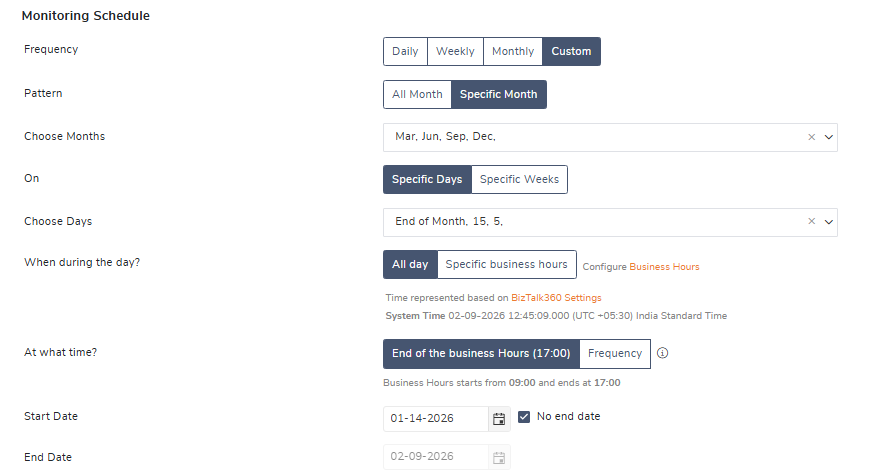
Process and Data Monitoring now support custom time-range scheduling, giving you complete control over when monitoring should run. You can schedule monitoring on specific days of the month, selected weeks, or define custom execution durations based on your operational needs. This enhanced scheduling experience is now fully aligned with the Receive Location scheduling options available in the BizTalk Admin Console.
With the Custom scheduling option, you can fine-tune monitoring execution using flexible time ranges:
Many businesses run critical batch jobs or validations only during specific periods, such as month-end or weekly business cycles. With Customized Data Monitoring Schedule, you can now run monitoring exactly during these windows—for example, on the 15th and 31st of the month or only during the first week—ensuring that checks are timely, relevant, and free from unnecessary monitoring overhead.
In many BizTalk environments, certain health check errors/ warnings are known and accepted due to design decisions or business constraints. However, these known findings continue to appear in reports and trigger repeated alerts, creating alert fatigue for operations teams.
Recurring health check findings can now be marked as Known Issues. Once marked, these issues are automatically excluded from threshold monitoring and no longer trigger repeated alert notifications.

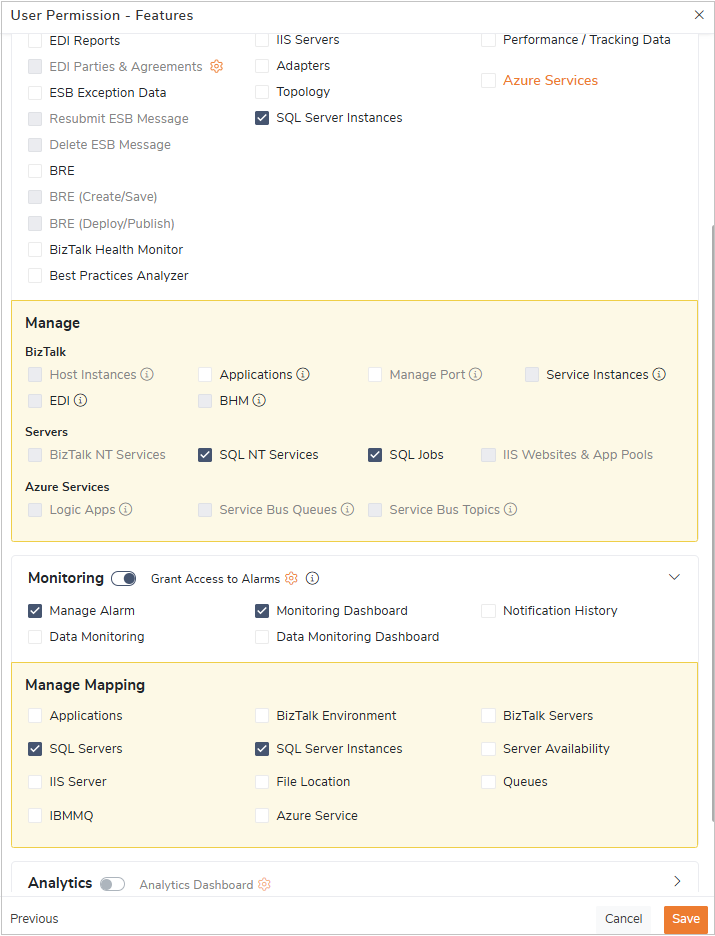
Role-based access control is enhanced for monitoring features. Access can be defined based on roles such as BizTalk Administrator, SQL Administrator, or Operator, ensuring users can view and manage only what’s relevant to their responsibilities.
In complex integration environments, different teams are responsible for different parts of the platform. Providing the unrestricted access to all monitoring features can lead to accidental changes, or security risks. Role-Based Control ensures the right level of visibility and control is granted to the right users.
Say, SQL administrators can focus exclusively on SQL Servers, instances, and jobs, while BizTalk administrators and operators access only BizTalk-specific monitoring.
User Access Profiles can now be exported and imported, making it easy to back up access configurations and reuse them across environments.
When setting up Test or Production environments, teams can reuse the same role definitions from Development without manually recreating access policies—ensuring consistency and saving time.
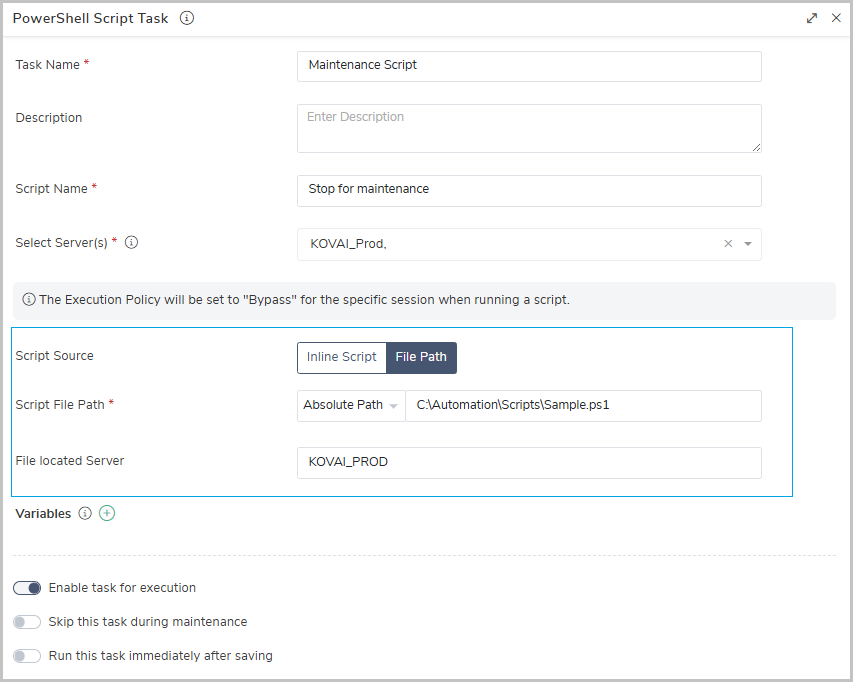
Automated Tasks now support referencing external PowerShell script file paths, enabling centralized script management. Teams can reuse the same scripts across BizTalk360 and external automation tools such as Azure DevOps, reducing duplication and simplifying maintenance.
Say, Organizations using shared PowerShell scripts for maintenance or recovery can now manage scripts from a single location, ensuring consistency across automated tasks and CI/CD pipelines.
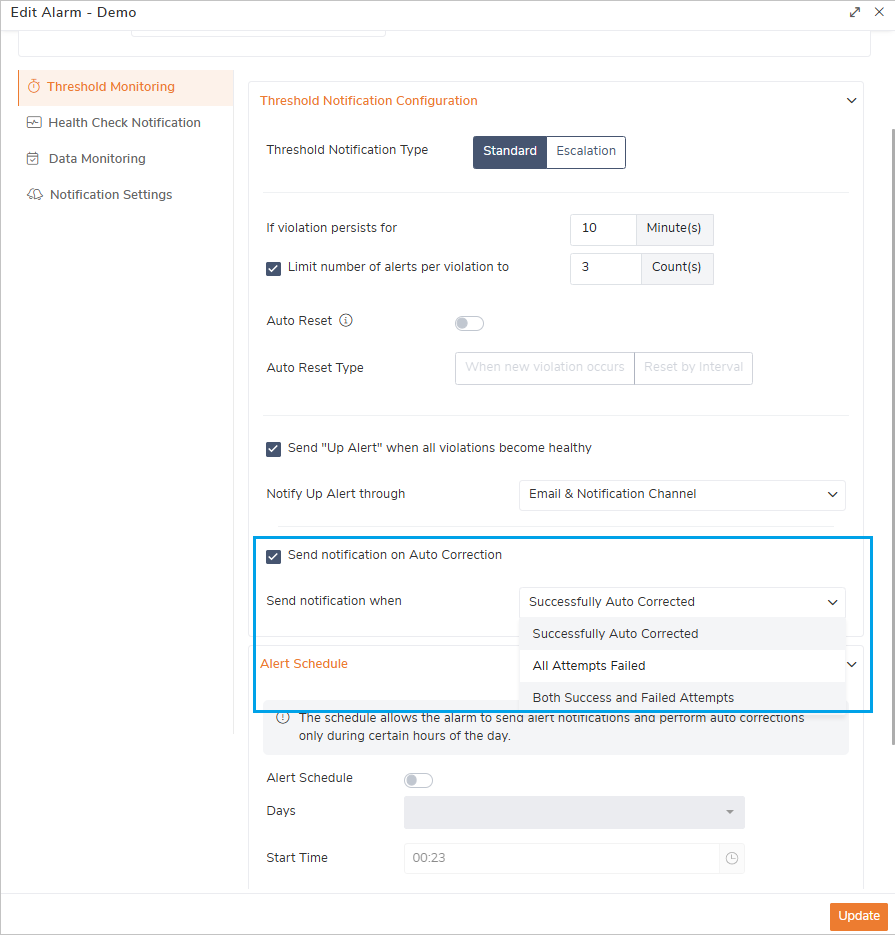
Audit – AutoCorrect actions are now audited along with the associated alarm name, providing better traceability and audit clarity.
Notification – Users can also control when AutoCorrect notifications should trigger —only for successful actions, only when all retry attempts fail, or for both success and failed attempts.
Users can now preview the content of related BAM activities before downloading the associated documents.
This allows users to quickly validate BAM data and download only what’s relevant, saving time and reducing unnecessary downloads.
Filtering and search capabilities are enhanced to provide more fine-grained control for managing and analyzing data.
Users can now set a default alarm view in the Monitoring Dashboard, ensuring the most critical alarms are displayed first based on individual preferences.
For example, Administrators responsible for system health can prioritize health-related alarms, while other users focus on process-specific alarms.
Added new metrics such as Throttling Requests, Completed Messages, and throughput indicators for deeper visibility.
Analytics dashboards can now be cloned along with their widget configurations, including the ability to copy custom widgets making dashboard reuse faster and easier.
Like this user can also clone ESB and EDI dashboard and the widgets
BizTalk360 now supports a common maintenance schedule across all environments, with system maintenance status clearly visible on the landing page.
BizTalk360 v11.7 delivers smarter monitoring, and greater operational control, empowering integration teams to manage complex BizTalk environments with clarity and confidence.
Upgrade to BizTalk360 v11.7 now and experience a more focused, efficient, and reliable way to monitor and manage your BizTalk environment.