BizTalk360 v11.5 is here, a powerful upgrade designed to deliver a more intuitive user experience, smarter monitoring, and streamlining day-to-day administration. This release brings significant updates to UI.
We’ve upgraded the BizTalk360 client stack to ensure long-term support, performance, and security:
We’ve modernized the user interface with:
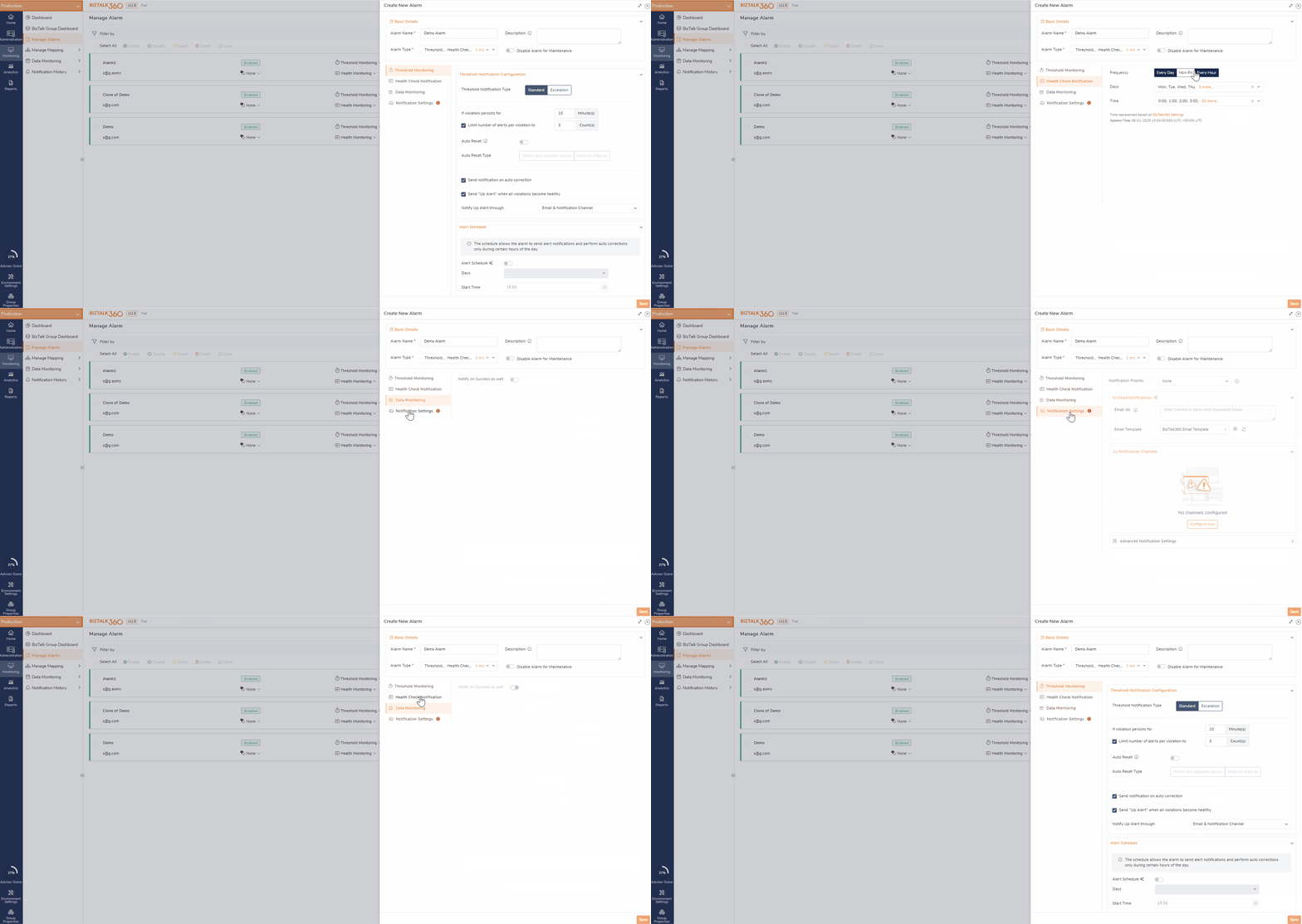
The Topology Diagram Provides a single-pane-of-glass view of BizTalk and its supporting infrastructure.
With this enhancement, the operations team can visually verify the Always On setup (availability groups, failover node) directly within BizTalk360. Reduces dependency on DBAs for environmental clarity.
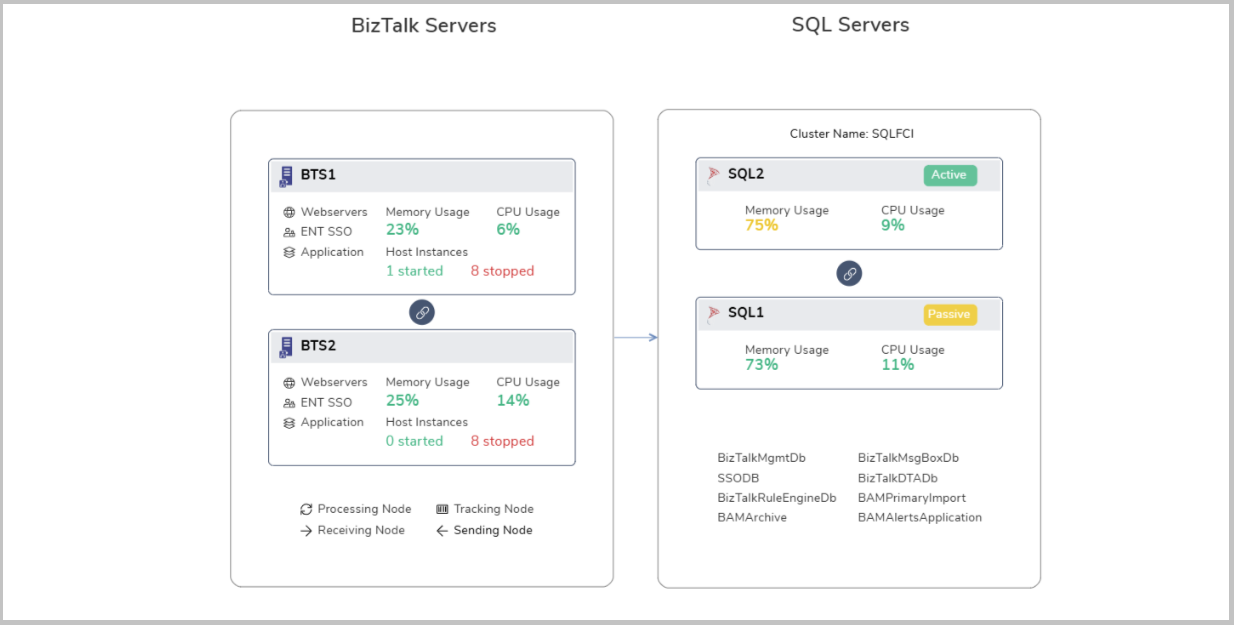
The Alarm Configuration module has been redesigned to offer a more intuitive and efficient setup experience for monitoring.
In previous versions, the configuration process followed a linear layout with limited grouping, making it difficult to manage alarms across various monitoring types. The latest update introduces a well-structured, tab-based layout, organizing alarm settings into three distinct categories:
This grouped structure streamlines navigation and improved clarity.
When an existing alarm includes actions such as “Notify on Success”, “Reset after 10 mins”, or similar configurations, these settings are highlighted with visual indicators while configuring a new alarm. This helps users stay informed of existing configurations.
The system also includes inline validation, displaying clear error messages within each configuration tab. This proactive approach helps users quickly identify and fix configuration issues before saving the alarm.
Automated Tasks feature has undergone significant usability improvement in this release.
Automated Tasks has been moved from Environment Settings to Administration for better contextual relevance and quicker access.
Refreshed Custom Workflow InterfaceModernized the Custom Workflow editor with a step-based visual layout, making it easier to configure and manage automated sequences.
Each step now clearly displays:
This structured layout enables users to follow the execution order and understand exactly what’s being automated.
With the step validation, users are guided to configure each workflow step correctly. If a step is incomplete or incorrectly set up, clear visual feedback is provided to correct the issue before saving, ensuring error-free execution.
 Cluster Host Instance Handling
Earlier, automated tasks failed when trying to restart clustered host instances that were in a stopped state, as these instances can’t be restarted through the BizTalk Admin Console itself.
Now, system restarts only the active (started) clustered host instances, skipping the stopped ones.
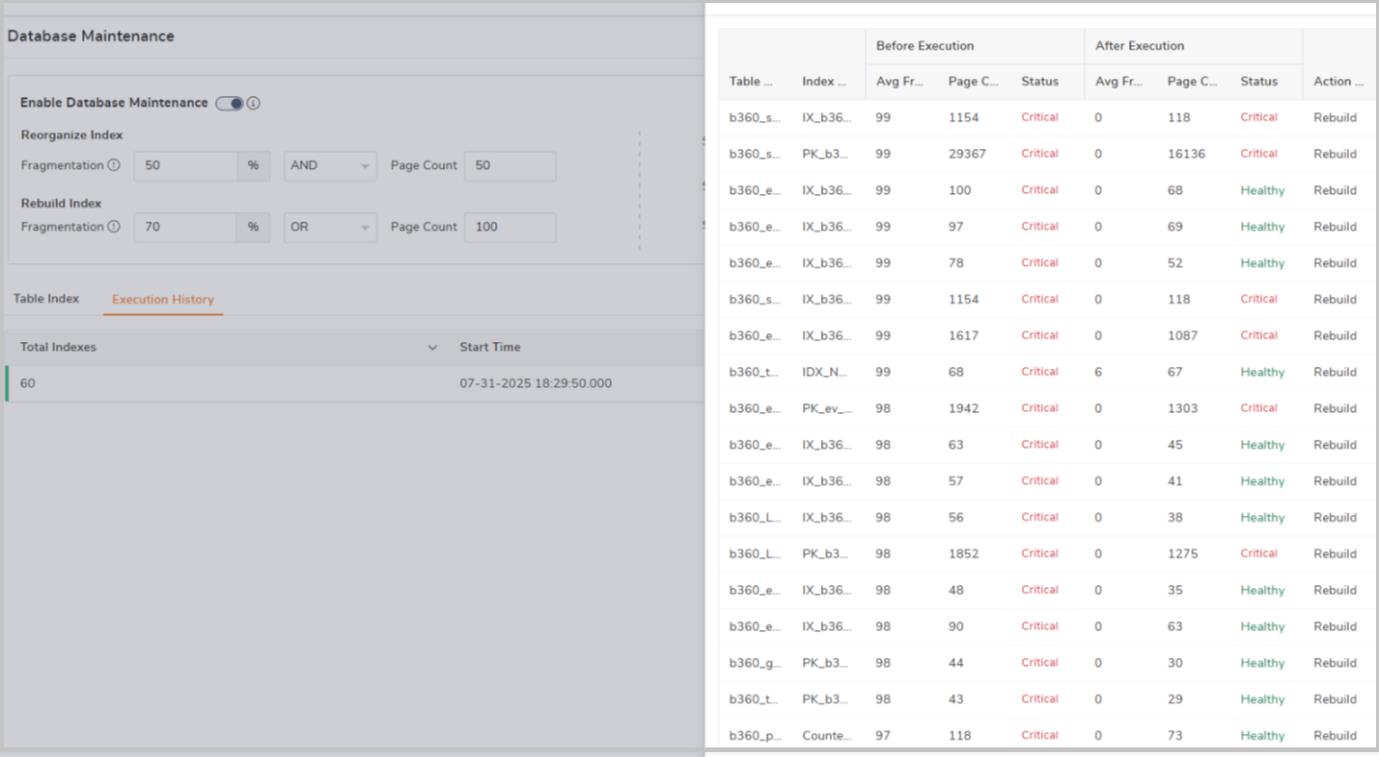
The Database Maintenance module is designed to help users manage the health and performance of BizTalk360 databases, in which index can grow over time due to various activity.
Rule ConfigurationUsers now have the flexibility to define custom rules based on Fragmentation and Page Count, using logical operators like AND / OR.
Example: Rebuild indexes when Fragmentation > 30% AND Page Count > 1000
Additionally, Users can configure the maintenance job to run on a Daily, Weekly, or Monthly basis, and even set it to execute at multiple time slots within the same day.
The UI now displays both the Last Executed Time and the Next Scheduled Run Time, giving users better visibility and control over the maintenance schedule.
Execution History TabUsers can now access a detailed audit trail of all maintenance activities directly from the UI. This includes:
Two key improvements have been introduced to make error description filtering more precise:
In the Message Box Data Monitoring section, users can monitor service instances and take automated actions based on threshold rules. For example, if the number of suspended instances exceeds a defined threshold (e.g., more than 10), actions like Terminate can be triggered automatically.
With the new enhancement, users now have greater control over how many instances are acted upon. Instead of terminating all matching instances, users can now specify a maximum limit (e.g., terminate only 100 instances) to prevent aggressive cleanup and maintain system stability.
In earlier versions, importing configurations that referenced deleted or missing artifacts could trigger unnecessary alerts or confusion. This has now been resolved, orphaned artifacts are automatically ignored during import, ensuring a clean experience without false notifications.
Features unavailable in the target environment, either due to license restrictions or missing configurations are intelligently skipped during import. This minimizes errors and ensures that only valid configurations are applied.
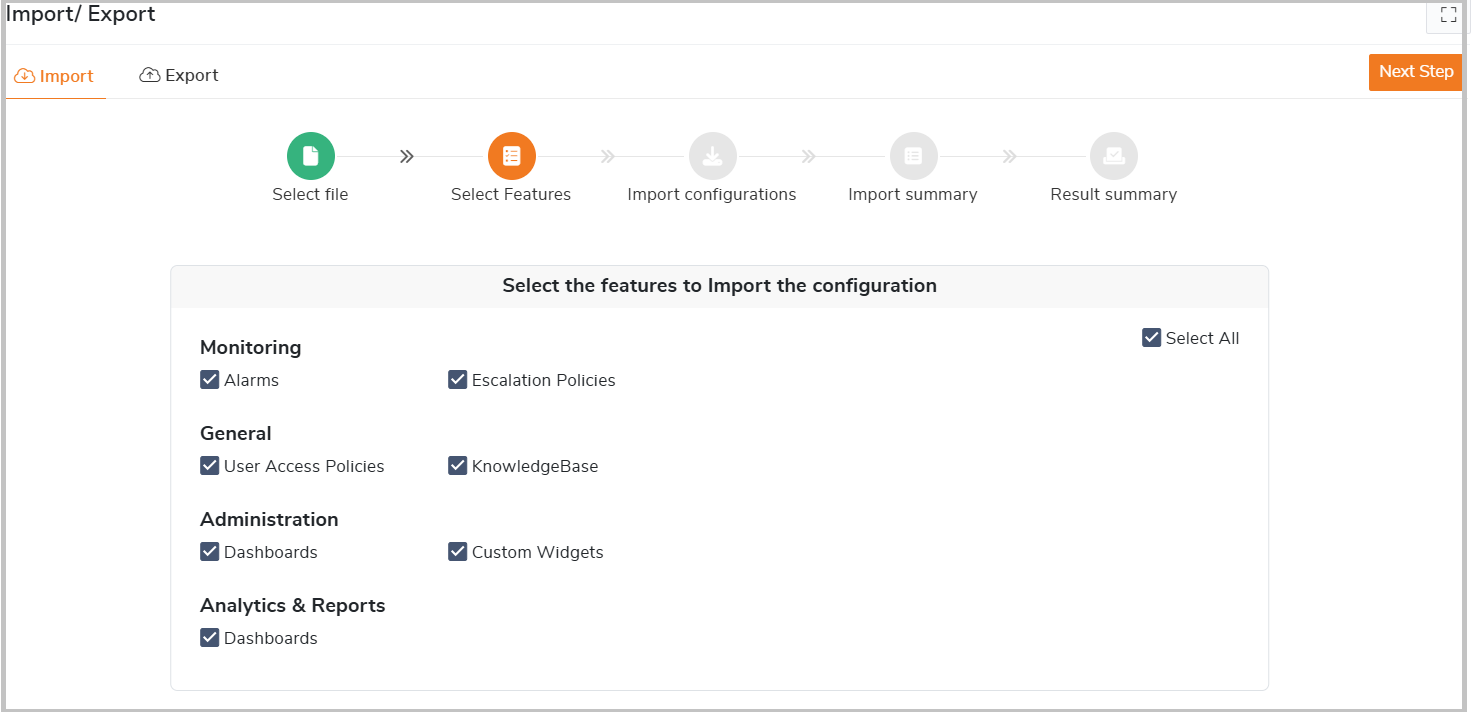
New “Select Features” StepA new “Select Features” step has been introduced in the import wizard, enabling users to choose only the necessary components to import. This makes the process more controlled, only import what’s needed.
Features are now grouped by modules, offering greater clarity during selection.
BizTalk360 v11.5 brings meaningful enhancements that modernize user experience, reduce manual overhead, and make platform administration more reliable and intuitive.
Check Release notes- https://docs.biztalk360.com/docs/v115