


Saranya
Author
Published on : Jan 7, 2026
Category : BizTalk360 Update
As we close 2025, we reflect on a year that truly reshaped how BizTalk environments are managed. At BizTalk360, this year unfolded as a shared journey, by customer feedback, real-world operational challenges, and a clear vision to simplify BizTalk administration.
Every release, every enhancement, and every optimization delivered throughout the year had a single purpose: to reduce operational noise and give integration teams greater control, clarity, and confidence. We want our BizTalk360 users to operate their BizTalk environment with minimal manual intervention.
2025 marked a meaningful step forward, not just in features, but in how BizTalk operations are automated, monitored, and optimized.
Let’s look back at what made this year impactful.
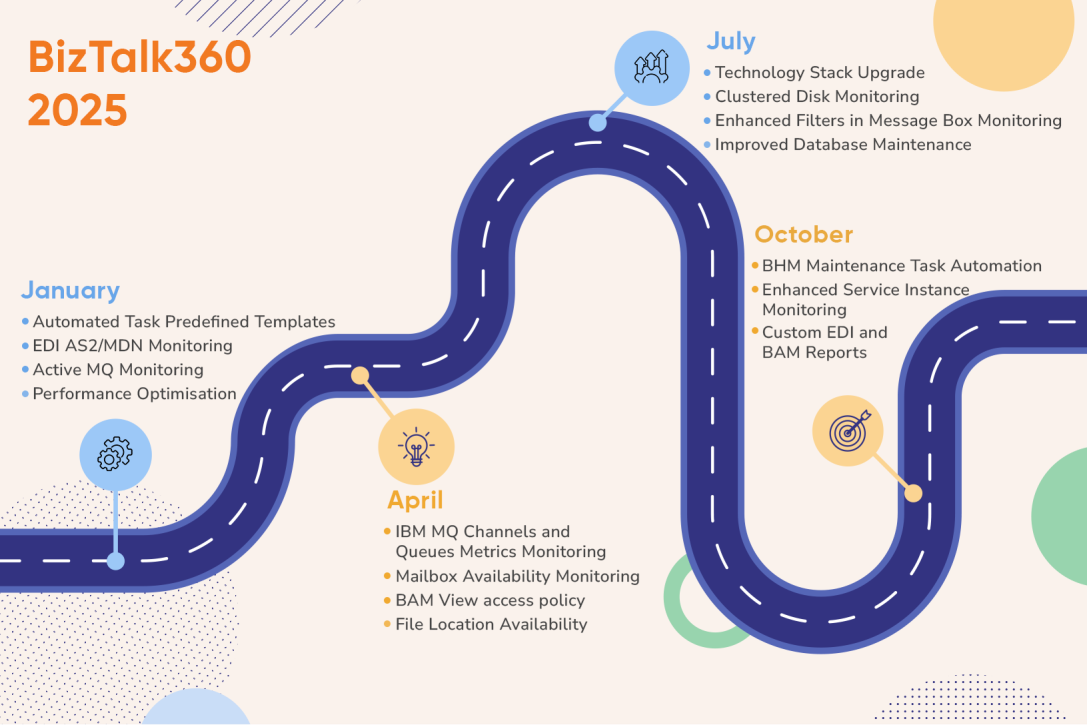
Throughout 2025, BizTalk360 delivered multiple quarterly releases, each focused on strengthening automation, refining monitoring depth, enhancing analytics, and improving platform stability without disrupting existing environments.
Automation was our primary focus in 2025. We moved BizTalk360 beyond alerting toward intelligent, self-healing operations.
Maintaining a healthy BizTalk environment is critical, especially as message volumes and integration complexity grow. Database growth, inactive service instances, and accumulated tracking data can quickly impact performance if not addressed proactively.
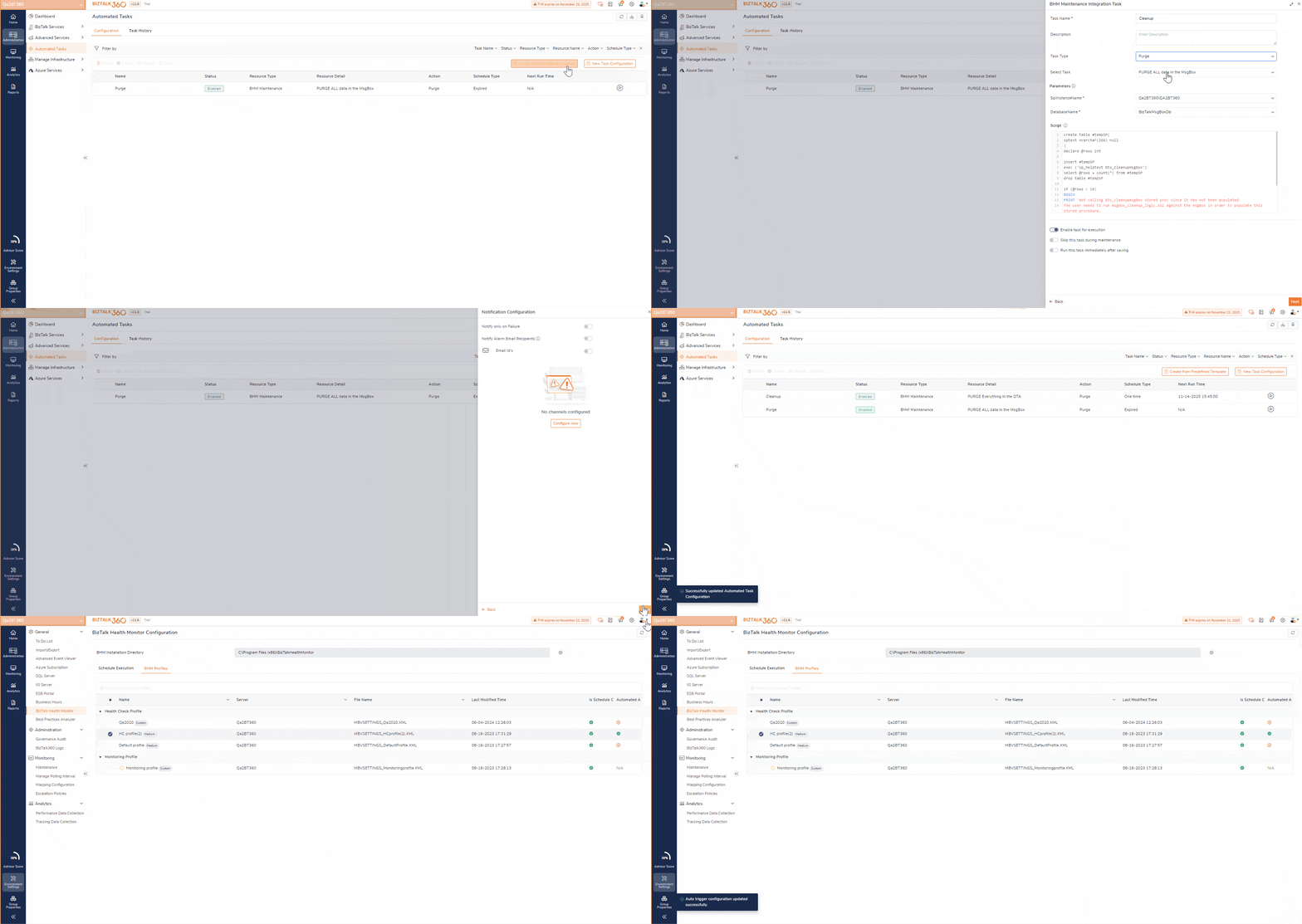
With the new BHM Automated Task capability, BizTalk360 now automates the execution of maintenance actions recommended by the latest BHM reports. Using predefined SQL templates, the platform can automatically perform:
Downtime directly affects business continuity, particularly when BizTalk or SQL servers become unavailable.
Previously, BizTalk360 alerted administrators when a server went offline, but recovery still required manual action.
Now with Server Availability Automated Tasks, BizTalk360 can now automatically perform recovery actions such as:
These actions are triggered the moment a server is detected as unavailable—helping teams reduce downtime and restore services faster without manual intervention.
Data is only valuable when it’s accessible and actionable. BizTalk360 enhanced reporting to help teams move from raw metrics to meaningful insights.
Users can now create custom EDI and BAM dashboards and include them directly in scheduled reports. With dynamic, interactive widgets, teams gain continuous visibility into:
Daily scheduled reports provide summarized insights that help operations teams proactively address issues—before they impact business operations.
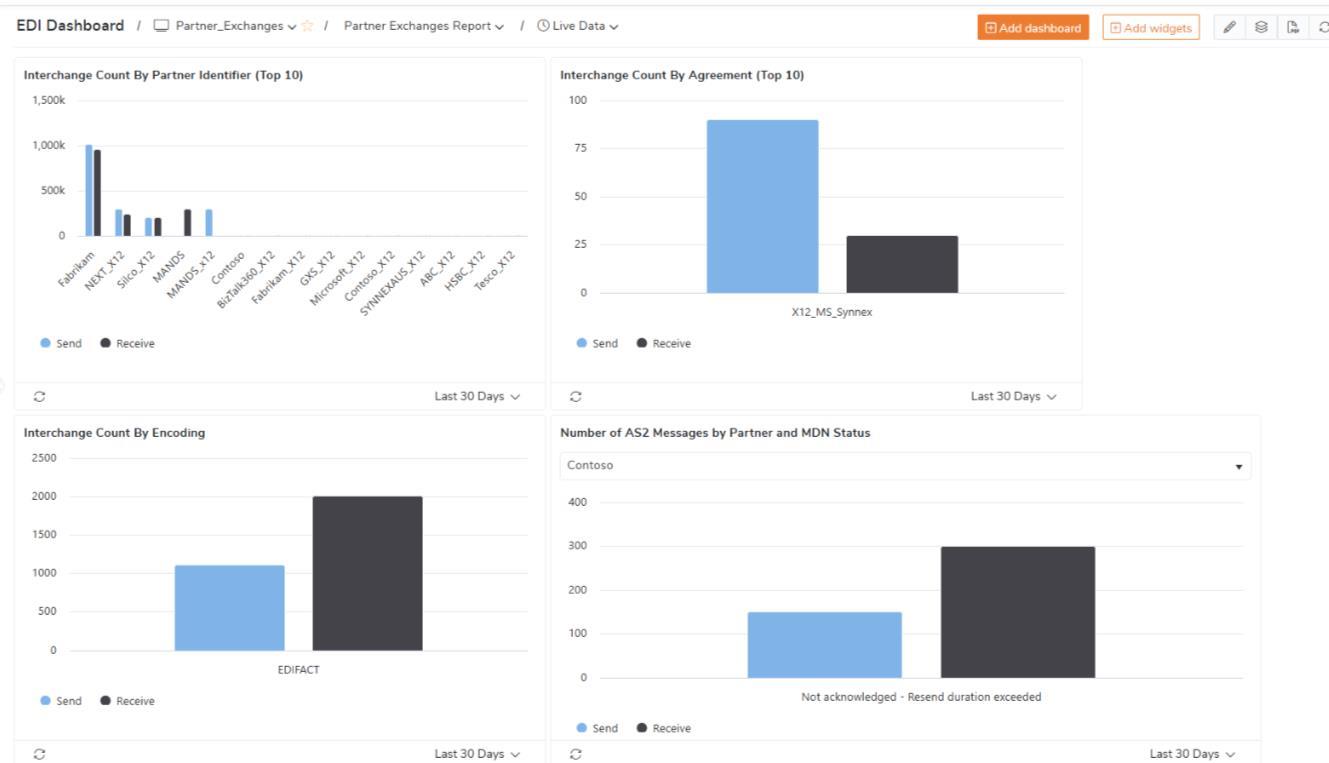
The EDI Dashboard delivers a comprehensive view of B2B message exchanges between trading partners.
Key widgets include:These insights help teams identify bottlenecks, prioritize corrective actions, and ensure timely business document exchange.
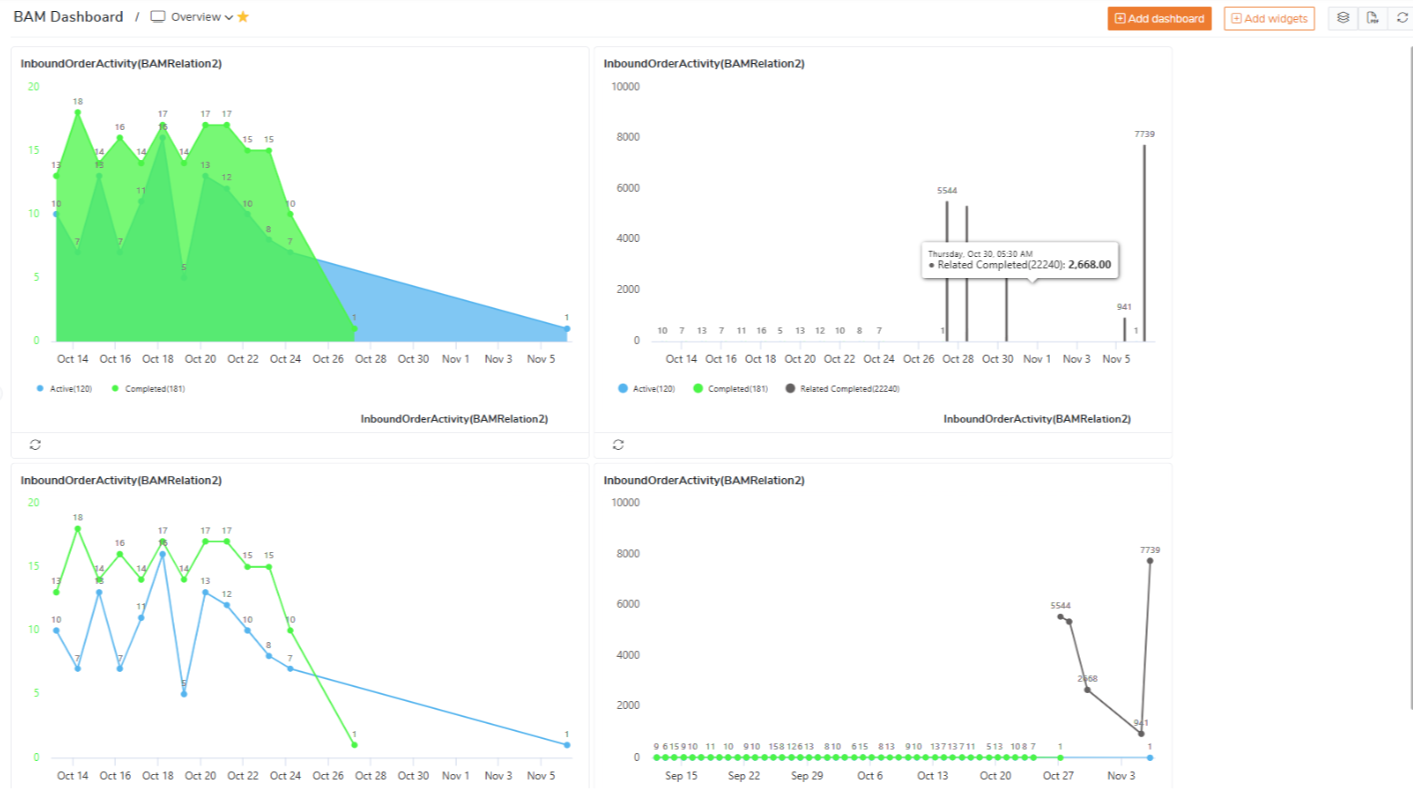
The BAM Dashboard provides real-time visibility into key business processes tracked using BizTalk BAM activities.
With configurable widgets and advanced filtering, business users and analysts can monitor:
This enables faster identification of workflow inefficiencies and data-driven process optimization.
Monitoring enhancements in 2025 focused on precision, prevention, and faster recovery.
Administrators can now apply advanced filters such as:
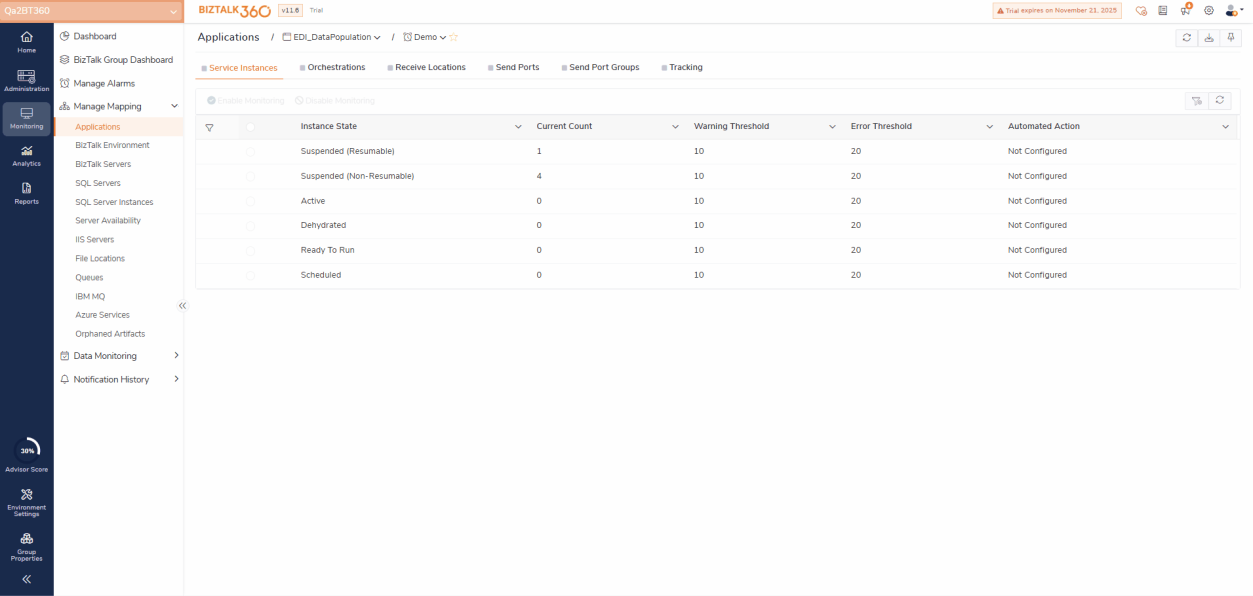
Thresholds can be defined to raise alerts when suspended instance counts exceed expected limits. These alerts can also trigger Automated Tasks, such as resuming instances or restarting services restoring message flow automatically.
As Microsoft deprecated SMTP basic authentication, BizTalk360 introduced support for Office 365 SMTP OAuth (Modern Authentication).
Using the built-in SMTP Authenticator Tool, administrators can easily configure secure authentication, ensuring alerts and scheduled reports are delivered reliably and securely.
ActiveMQ plays a critical role in modern integration architectures. BizTalk360 now provides real-time monitoring of ActiveMQ queues, including metrics such as:
Alerts are triggered instantly when thresholds or expected states are violated, allowing teams to act before backlogs impact downstream systems.
Monitoring capabilities were further expanded to include threshold-based monitoring of IBM MQ queues and channels,
While features took the spotlight, 2025 also delivered important improvements behind the scenes:
These enhancements ensure BizTalk360 remains stable, resilient, and reliable—even in complex and unpredictable environments.
BizTalk360 is now fully compatible with BizTalk Server 2020 CU7, ensuring customers remain aligned with the latest supported Microsoft platform updates.
Technology stack upgrade – To support long-term stability, BizTalk360 client technology stack was also upgraded. This includes Angular 19.2.x, the latest versions of Kendo UI and GoJS, an updated Chromium browser, and the introduction of Playwright to enable more reliable and efficient browser-based report generation.
API Security – Several API security enhancements were implemented to further strengthen platform stability and resilience. Input validation and access controls were tightened to prevent unauthorized access and unsafe operations. Sensitive actions are now restricted to authorized users only, reducing security risks. These improvements ensure a more secure and reliable experience across all environments.
2025 was a year of meaningful progress, With automation at the core, deeper monitoring, and actionable analytics, BizTalk360 continues to evolve to meet the real-world needs of integration teams.
Thank you to our customers, partners, and community for being part of this journey. Your feedback continues to shape our roadmap, and we look forward to bringing you even more powerful capabilities in the year ahead.